The best Mac menu bar apps for AI coding do one of five jobs: show how much of your plan is left, show what you have spent, tell you what your agents are doing, keep the Mac awake while they work, or collect the pull requests waiting on you. The menu bar suits all five because an agent runs for minutes at a time, and the thing you need is a glance, not another window.
This list covers ten apps across those jobs for people using Claude Code, Codex, or Cursor. A disclosure: we make LobsterOne, and it is one of the ten. Licences, star counts, and system requirements were read from each project’s repository or site on November 18, 2026. Three of the apps here are small, new projects, and the entries say so.
At a Glance
| App | Job | Price | Requires |
|---|---|---|---|
| CodexBar | Limits | Free, MIT | macOS 14 |
| ClaudeBar | Limits | Free, Apache-2.0 | macOS 15 |
| OpenUsage | Limits | Free, MIT | macOS |
| CodeBurn | Spend | Free, MIT | macOS |
| SessionWatcher | Limits, spend | From $8.99 one-time | macOS 14 |
| LobsterOne | Limits, spend, output | Free for individuals | macOS 14, account |
| AgentBar | Agent status | Free, MIT | macOS 12 |
| Belay | Keep awake | Free | macOS 14 |
| Pullover | Pull request inbox | Free, MIT | macOS |
| Ice | Tidy the menu bar | Free, GPL-3.0 | macOS 14 |
Limits: How Much of Your Plan Is Left
This is the job the menu bar does best. A percentage and a reset time, always visible, so you never start a long task with ten minutes of quota left.
CodexBar is the standard choice. It is MIT licensed, has 23,200 GitHub stars, and tracks session, weekly, and monthly windows for 114 providers with a countdown to each reset. No account is needed. If you pay for several AI plans, start here.
ClaudeBar covers twenty providers, including Claude, Codex, Gemini, Copilot, and Cursor, and sends a notification before you run out. It is Apache-2.0 licensed, installs with brew install --cask claudebar, and needs macOS 15.
OpenUsage is MIT licensed with 4,600 stars. Its provider list is shorter, but providers are plugins, so new ones arrive without an app update.
Spend: What It Would Have Cost
CodeBurn is best known as a command-line tool, but it ships a native menu bar app too. It reads the session files your tools already write and breaks spend down by project, model, and task. MIT licensed, 11,900 stars, and nothing leaves your machine.
SessionWatcher is the paid option. It covers 22 tools, shows both limits and costs, and also runs on Windows. Pricing starts at $8.99 one-time for Claude alone and reaches $79 one-time for every tool.
Limits, Spend, and What It Shipped
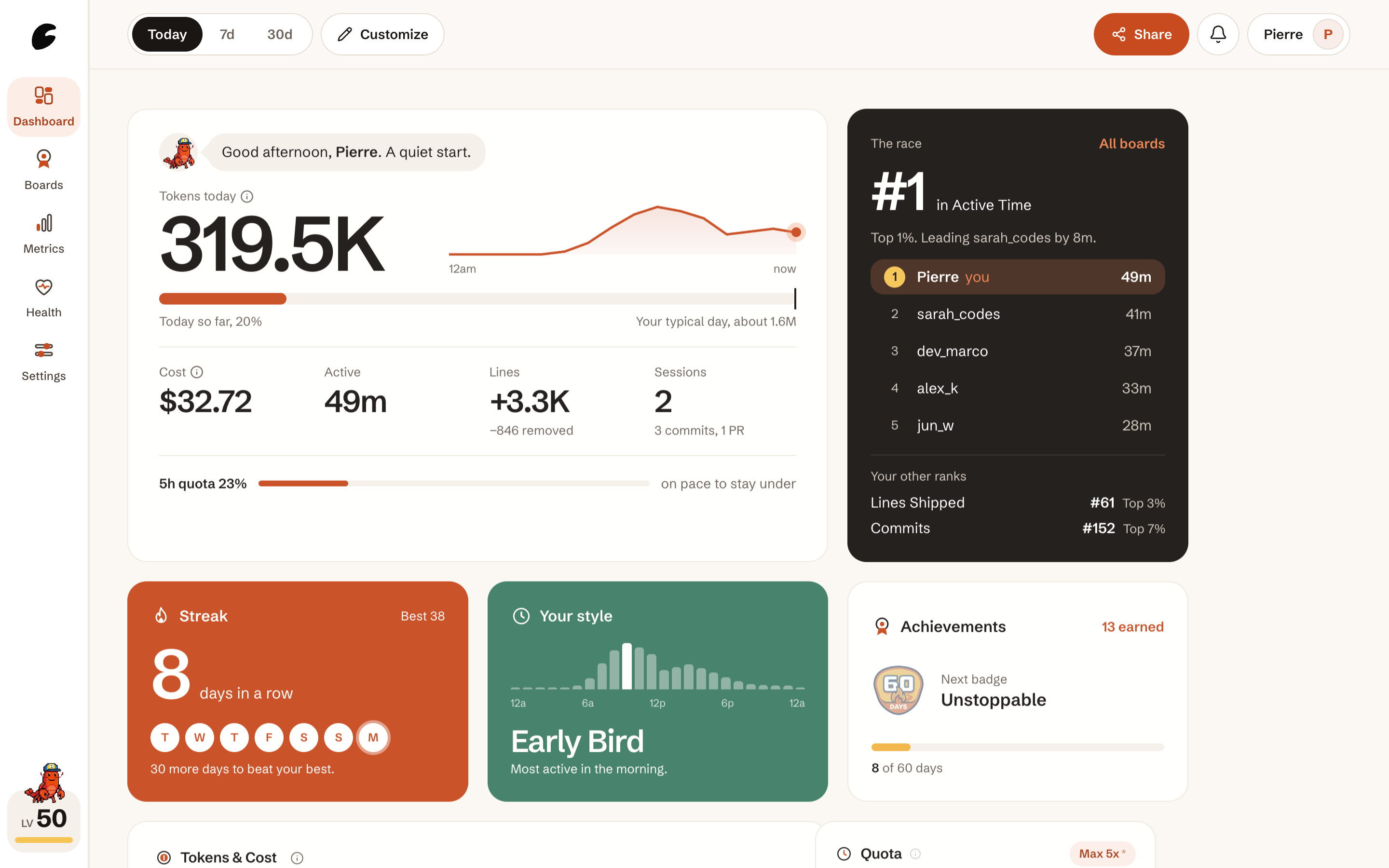
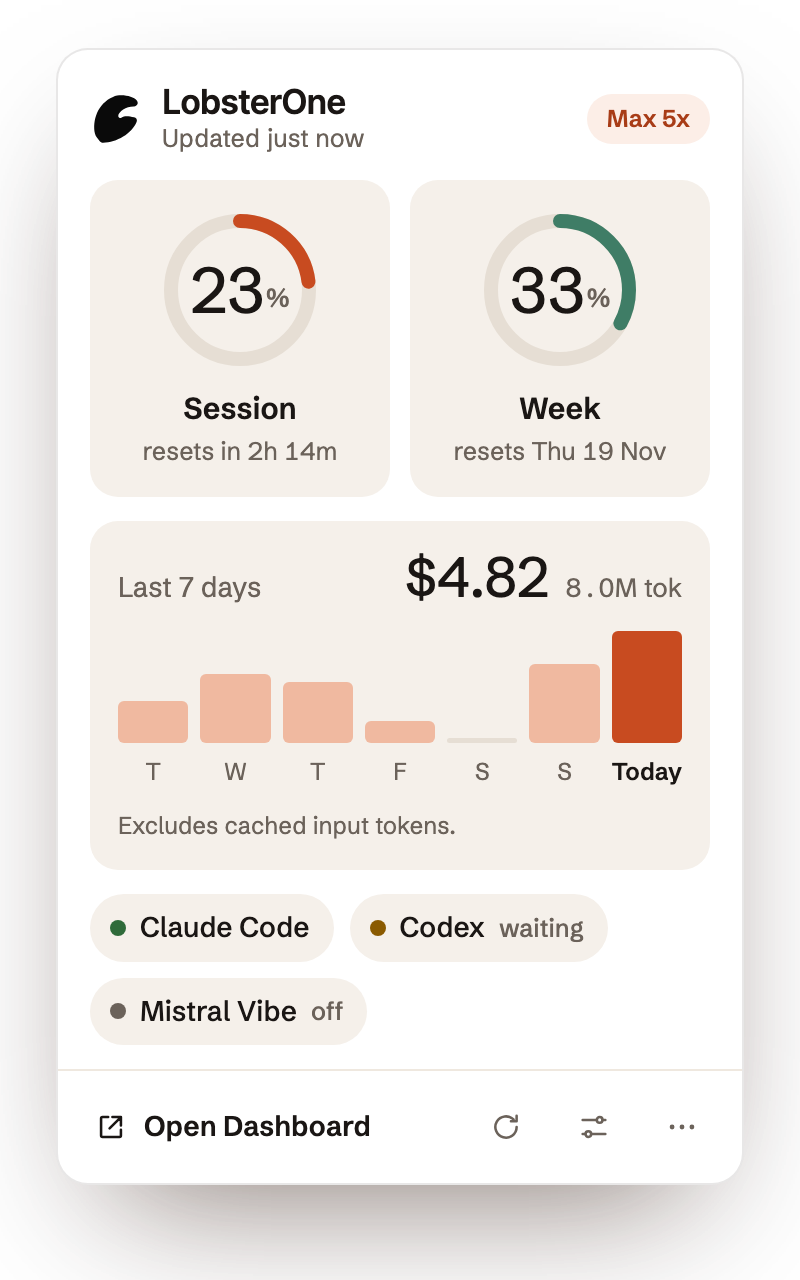
LobsterOne is ours. Its menu bar item shows session and weekly quota for Claude Code, Codex, and Mistral Vibe, with the last seven days of spend and tokens one click away. For Claude Code it also projects your pace and warns you if you will hit the cap before the window resets.
What makes it different from the apps above is the web dashboard behind it, which puts cost next to the commits and pull requests it produced. What makes it worse than them for some people: it supports three tools, not 114; it needs an account; and usage numbers are sent to our servers, along with the opening of each Claude Code session’s first prompt and its file paths, used only so you can sort your token use by project (never file contents). It is free for individuals and needs macOS 14. If you only want a limit in your menu bar, CodexBar is the simpler choice.
Agent Status: What Are They Doing?
Once you run more than one agent, the question changes from “how much is left” to “which one is waiting for me.”
AgentBar shows the live state of your coding sessions in the menu bar or in a pill under the notch. It follows ten agents, including Claude Code, Codex, Cursor CLI, and Gemini CLI. Its most useful feature: when Claude Code asks for permission, the request appears in the menu with the exact command or diff, and you can allow or deny it without switching to the terminal. It is MIT licensed and needs macOS 12. It is also a very small project, with 15 stars when we checked, so treat it as promising rather than proven.
If all you want is to know when an agent stops, a sound does the job with no app at all. Our guide to Claude Code notification sounds shows how.
Keep Awake: Do Not Sleep Mid-Task
A Mac that sleeps twenty minutes into a forty-minute agent run has wasted the run.
Belay holds the Mac awake only while agents are working and lets it sleep normally afterwards. It detects Claude Code, Codex, Cline, and Copilot CLI out of the box, with presets for Gemini CLI, Aider, and others. It is free, on the Mac App Store, and needs macOS 14. It is another small project, at 41 stars.
The built-in alternative is the caffeinate command, which ships with macOS. Run caffeinate -i in a spare terminal tab and the Mac stays awake until you stop it. It will not notice when the agent finishes, which is the gap Belay fills.
Pull Request Inbox: What Is Waiting on You
Agents open pull requests faster than people review them, so the queue matters more than it used to.
Pullover puts a count of pull requests that need your action in the menu bar and leaves out the ones where someone else has the next move. It is MIT licensed and read-only: it shows you the queue, and you review in GitHub. It signs in with GitHub OAuth and asks for the repo scope so it can see private repositories, which some organisations will need to approve. Like the two above, it is small, at 22 stars.
Tidy: Hide the Ones You Do Not Need
Install four of these and the menu bar is full, especially on a laptop with a notch.
Ice is a menu bar manager with 30,000 stars under GPL-3.0. It hides the icons you rarely need and reveals them on hover or click. It is the one app on this list that has nothing to do with AI and earns its place anyway.
Which to Install
Three is plenty. A reasonable set for one developer:
- One limits app: CodexBar, or ClaudeBar if you want the warning notification.
- One keep-awake tool: Belay, or
caffeinateif you would rather not install anything. - Ice, once the first two make the bar crowded.
Add a spend or output tracker when you start asking whether the plan is worth the money. We compared those in detail, including the command-line ones, in the best AI coding usage trackers. For the tools that do not live in the menu bar at all, see the vibe coder’s toolkit.
Track these metrics automatically with LobsterOne
Get started freeOne caution before you install anything from this list: a menu bar app that reads your AI usage is reading local session files or holding a token for your account. Prefer open-source apps where you can, and check what each one sends off your machine.