The best AI coding usage tracker depends on which of four questions you are asking: am I about to hit my limit, what did I spend, what did that spend ship, or what is my team using. No single tool answers all four well, and most of the good ones are free. This guide sorts twelve of them by question, for Claude Code, Codex, and Cursor users.
A disclosure before anything else: we make LobsterOne, and it is on this list. Almost every “best usage tracker” page is written by a vendor who places their own product first. We have tried to do the opposite: LobsterOne appears where it fits, and the sections below say plainly where a free, local tool is the better choice. Star counts, licences, and prices were read from each project’s GitHub repository or pricing page on November 18, 2026.
The Short Version
| If you are asking | Start with | Why |
|---|---|---|
| Am I about to hit my limit? | /usage in Claude Code, then CodexBar or ClaudeBar |
Built in, or free and always visible |
| What did I spend? | ccusage or CodeBurn | One command, reads local logs, no account |
| What did the spend ship? | CodeBurn locally; LobsterOne or Anthropic’s analytics hosted | Ties cost to commits and pull requests |
| What is my team using? | Anthropic’s analytics if you are Claude-only; LobsterOne or Swarmia across tools | Depends on how many vendors you run |
Question 1: Am I About to Hit My Limit?
This is the most common reason anyone installs a tracker. Subscription plans meter in rolling windows, and finding out you are at 98% halfway through a refactor is a bad afternoon.
The built-in commands. Claude Code has /usage and Codex has /status. Both show how much of your current window is used and when it resets. They cost nothing and are authoritative, because the number comes from the vendor. The limitation is that you have to remember to type them, and they show limits rather than tokens, dollars, or history.
CodexBar is the one to beat. It is a free, MIT-licensed macOS menu bar app with 23,200 GitHub stars that keeps limits and reset countdowns visible for 114 providers. No account, and nothing leaves your machine. If you pay for more than two AI plans, this is the answer.
ClaudeBar does the same job with a narrower list: Claude, Codex, Gemini, Copilot, Cursor, and fifteen more. It is Apache-2.0 licensed, installs with Homebrew, needs macOS 15, and sends a notification before you run out.
OpenUsage is another free, open-source menu bar app with a plugin system for adding providers. Smaller list, friendly design, a global shortcut.
Claude Code Usage Monitor lives in the terminal instead. Its distinguishing feature is prediction: it watches your burn rate and estimates when you will hit the limit. It is MIT licensed with 8,800 stars. The repository’s last push was in July 2026, so check that it still matches current plan limits before relying on it.
SessionWatcher is the paid option, and the one to look at on Windows. It runs in the Mac menu bar or the Windows taskbar and supports 22 tools. Pricing starts at $8.99 one-time for Claude alone and goes to $79 one-time for every tool.
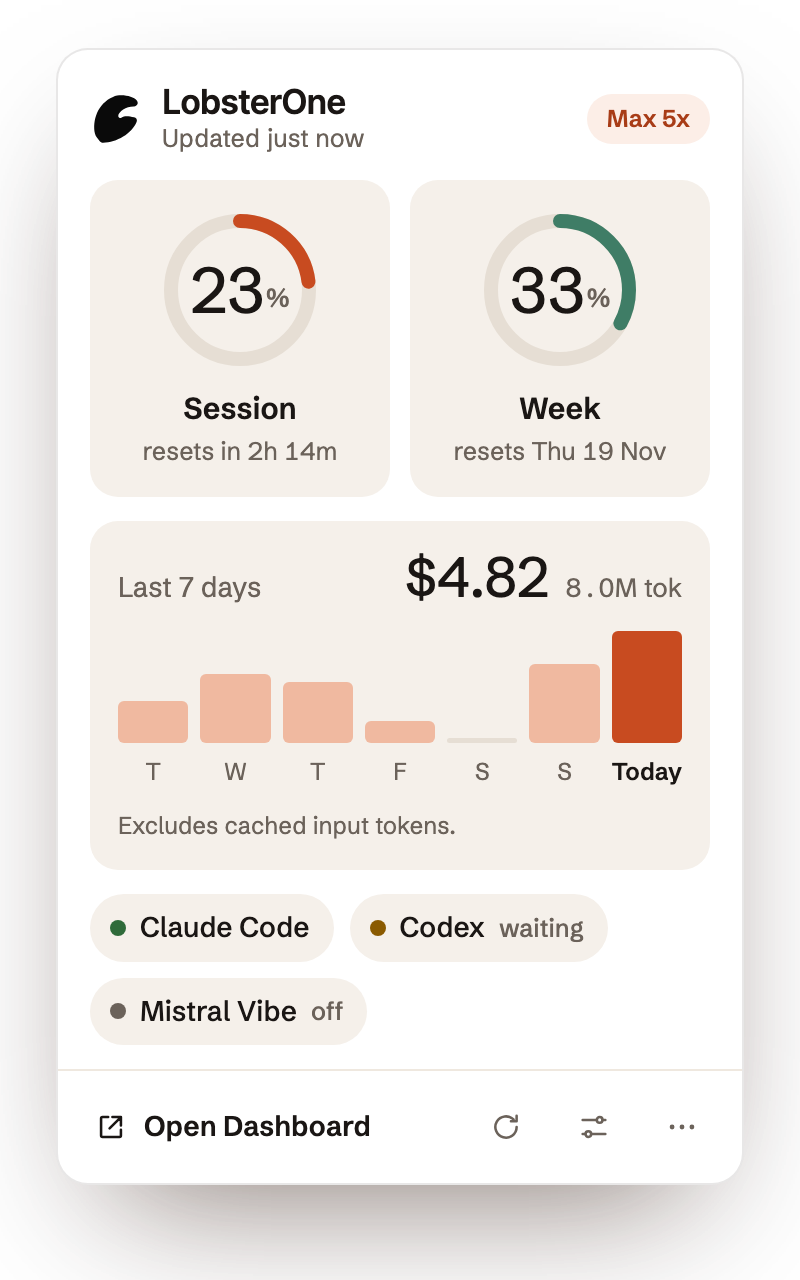
Where LobsterOne sits here: our Mac menu bar app shows session and weekly quota too, but for three tools, not 114. If limits are your only question, use CodexBar.
Question 2: What Did I Spend?
On a flat subscription the bill never changes, so “spend” really means “what would this have cost at API prices,” which tells you whether the plan is paying for itself.
ccusage is the default answer, with 19,500 stars. Run npx ccusage and it reads the logs Claude Code already writes to disk, then reports tokens and estimated cost by day, month, session, or five-hour block. It covers Codex and several other agents as well. Nothing to install, no account, fully local.
CodeBurn goes further on breakdowns. It is MIT licensed with 11,900 stars, covers around 40 tools, and splits spend by project, model, activity type, and session. Besides the CLI there is a macOS menu bar app and a desktop app for Windows and Linux. It also reads only local files.
Where LobsterOne sits here: it shows tokens and cost over time in a web dashboard, without a terminal. The trade-off is real: you need an account, and usage numbers are sent to our servers, along with the opening of each Claude Code session’s first prompt and its file paths, used only so you can sort your token use by project. If you want a number and want it to stay on your laptop, ccusage or CodeBurn is the better pick.
Question 3: What Did the Spend Ship?
Spend alone is an activity number. A developer who burns ten times the tokens may or may not have shipped ten times the work, and as we argued in the token leaderboards trap, usually has not. The useful figure is cost against output: per commit, per pull request, per line that survived.
CodeBurn reports per-pull-request cost from local data, which makes it the only free tool here that attempts this.
Anthropic’s Claude Code analytics is included with Claude Team and Enterprise plans. Once a GitHub admin installs Anthropic’s GitHub app, it attributes merged pull requests and lines of code to Claude Code sessions, and Anthropic describes the counts as deliberately conservative. It is the most authoritative source for Claude, it updates daily, and it covers only Claude Code. Individual Pro and Max subscribers do not get it.
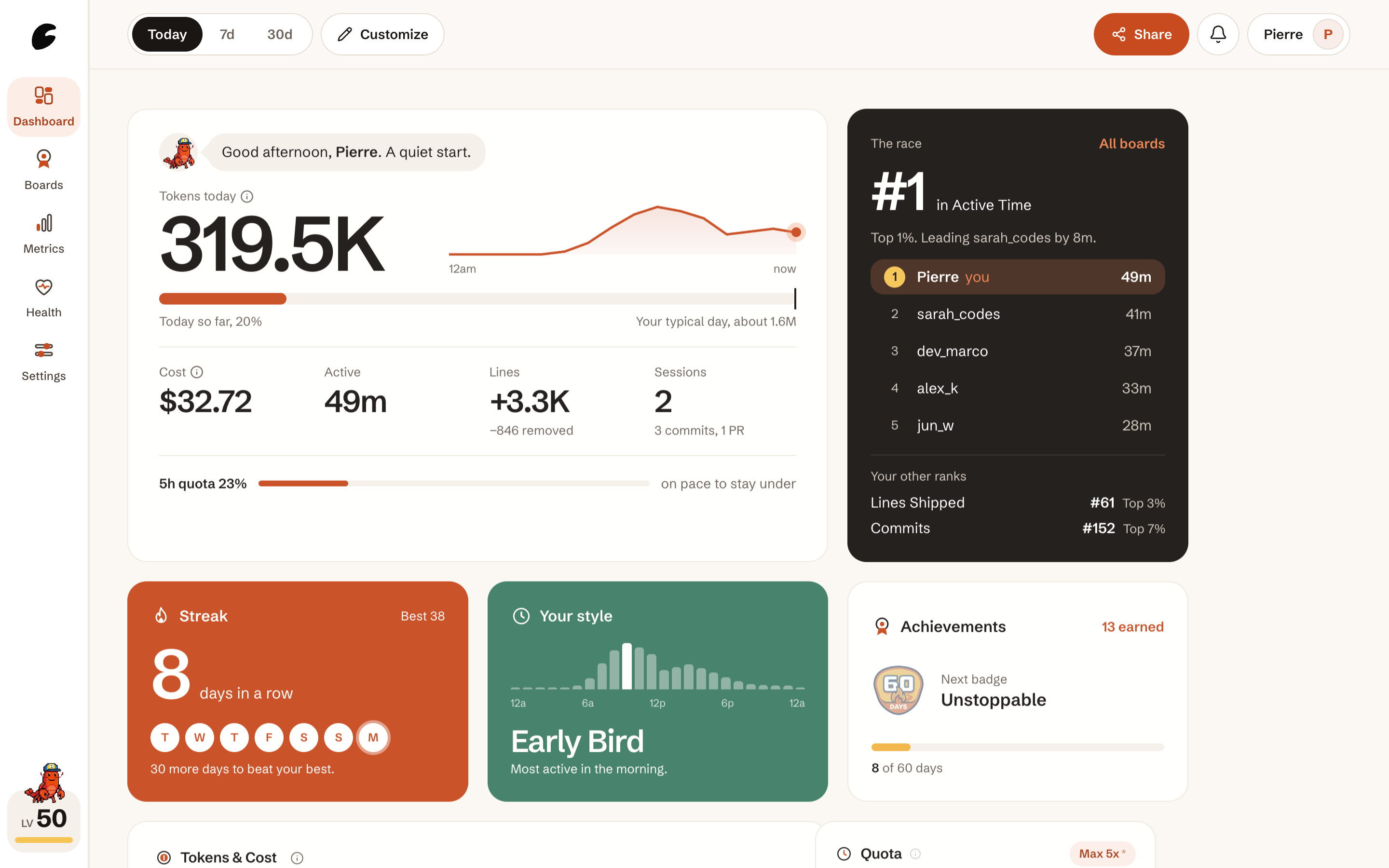
LobsterOne is where we think we earn a place. It records tokens, cost, lines, commits, and pull requests for Claude Code, Codex, and Mistral Vibe in one dashboard, and shows cost per pull request and cost per line across them. It is free for individuals, including people on Pro and Max plans. It never receives file contents or model responses. For Claude Code it does receive the first 500 characters of each session’s first prompt and the paths of files touched, for the sole purpose of letting you sort your token use by project and client. Only you see them.
What it does not do: it does not see Cursor’s own models (only Claude Code running inside Cursor), the menu bar app is macOS only, and the menu bar figures refresh every few minutes rather than instantly.
Question 4: What Is My Team Using?
The team question adds two constraints the individual tools ignore: several vendors at once, and people who reasonably do not want to be watched.
Anthropic’s analytics is the first stop for a Claude-only team, because it is already paid for. Admins get lines accepted, accept rate, daily active users, sessions, a top-ten leaderboard, and a CSV export. Per-user spend comes from a separate spend report or from OpenTelemetry export.
Swarmia sells an “AI adoption & cost” plan at $5 per developer per month, billed annually, and is free for companies with fewer than ten developers. Its integrations list names GitHub Copilot, Cursor, Claude Code, and Codex. Choose it if you also want delivery metrics from the same vendor.
Opaline takes the opposite approach to privacy from everything else on this list. Its own README states that it uploads full session transcripts, including prompts, responses, and source code. That buys a detailed session trace for coaching, and it is free up to 50,000 agent runs a month, then $63 a month flat. Make sure your repositories and your team allow it.
LobsterOne for teams costs $4.90 per seat per month, billed monthly. Admins see per-member totals, never sessions, and each developer keeps a private dashboard. It suits teams running more than one of Claude Code, Codex, and Mistral Vibe. It does not cover Copilot or Cursor’s own models, so a team standardised on those should look at Swarmia.
A caution that applies to every tool in this section: the moment a usage number becomes a ranking, people start optimising for the number. Measure cost against output, not volume.
All Twelve at a Glance
| Tool | Form | Answers | Price | Data leaves your machine? |
|---|---|---|---|---|
/usage, /status |
Built-in command | Limits | Included | No |
| CodexBar | Mac menu bar | Limits | Free, MIT | No |
| ClaudeBar | Mac menu bar | Limits | Free, Apache-2.0 | No |
| OpenUsage | Mac menu bar | Limits | Free, open source | No |
| Claude Code Usage Monitor | Terminal | Limits, prediction | Free, MIT | No |
| SessionWatcher | Mac and Windows | Limits, spend | From $8.99 one-time | Local by default |
| ccusage | CLI | Spend | Free, open source | No |
| CodeBurn | CLI, menu bar, desktop | Spend, cost per PR | Free, MIT | No |
| Anthropic analytics | Web dashboard | Output, team (Claude only) | Included in Team and Enterprise | Already with Anthropic |
| Swarmia | Web dashboard | Team, across tools | $5/dev/month, annual | Yes |
| Opaline | Web dashboard | Team, session detail | Free tier; from $63/month | Yes, full transcripts |
| LobsterOne | Mac menu bar, web dashboard | Limits, spend, output, team | Free; teams $4.90/seat/month | Yes: usage numbers, plus Claude Code project details |
How to Choose
Start with the free, local tool that answers your question, and add a second only when you hit its edge. A sensible path for one developer is /usage, then CodexBar or ClaudeBar for limits, then ccusage the first time you wonder whether your plan is worth it.
Move to a hosted tool when the question changes from “how much” to “was it worth it,” or when more than one person needs to see the answer. That is the point where history across machines, output next to cost, and a shared view start to matter. For background on reading these numbers once you have them, see our guide to tracking token usage across a team. A tracker is one of nine tools worth having beside the agent; the rest are in the vibe coder’s toolkit.
Track these metrics automatically with LobsterOne
Get started freeWhichever you pick, check two things first: where the data goes, and whether it reads the vendor’s real limits or estimates them from local logs. Those two answers explain most of the differences between the tools above.